Scores & Fixtures - Football on the Screen
The post type Scores & Fixtures allows you to display football results on PinToMins from the groups and matches you choose, where the results are updated automatically. ⚽️✨
Scores & Fixtures can be used to display football results from over 20 leagues. For example the World Cup, Premier League, Bundesliga and La Liga.
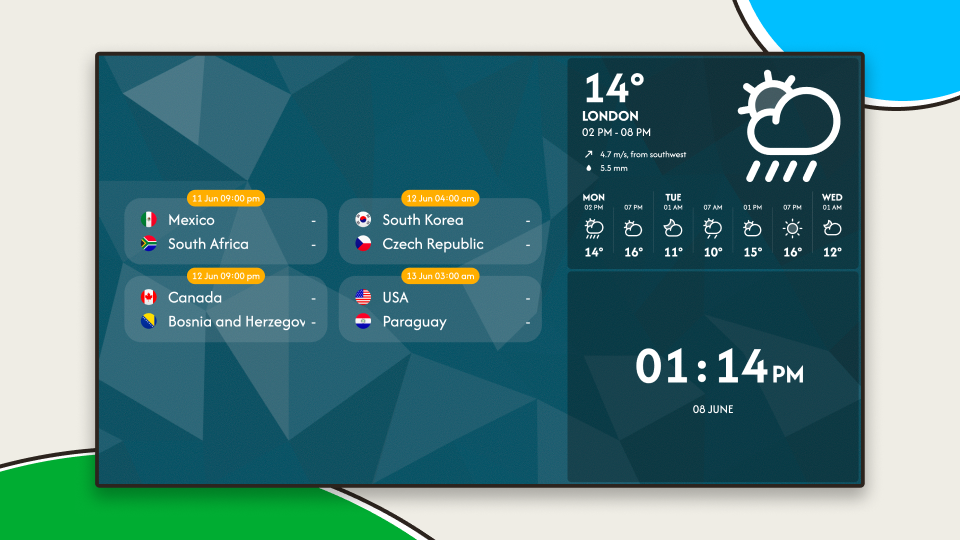
How does it work?
Head to New Post and select Scores & Fixtures. First, choose what you want to follow – a league (or the World Cup).
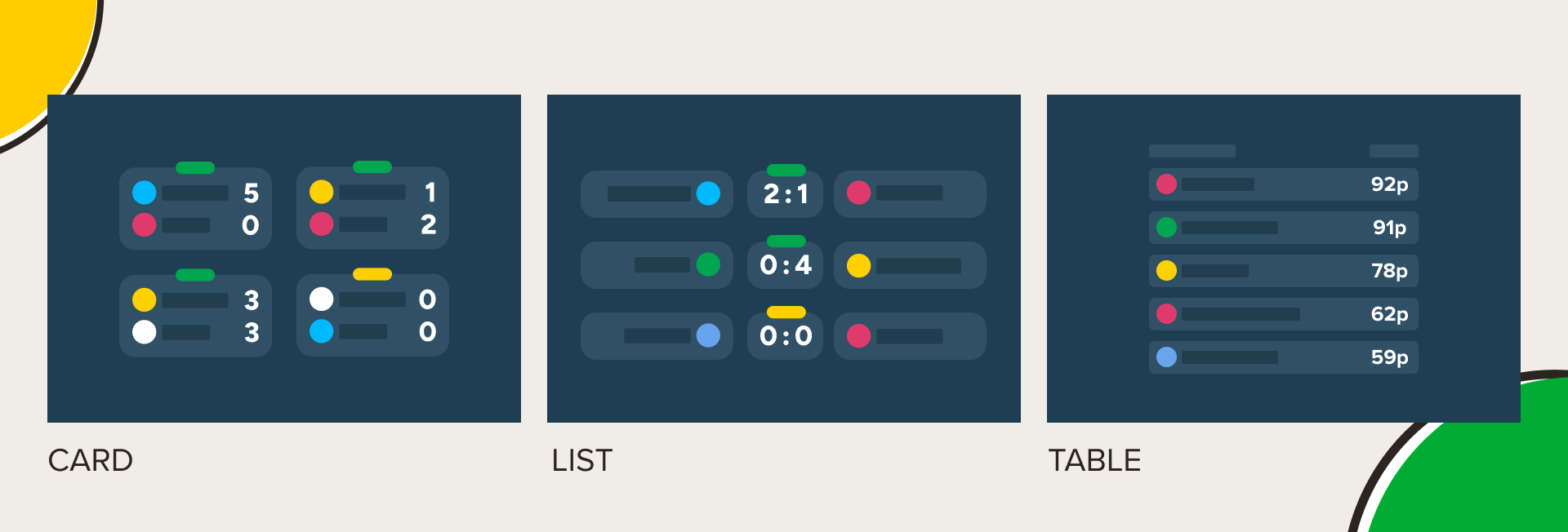
Then select one of three views: Card, List or Table. In Card and List view, scores update live while matches are in progress.
- Card view provides a compact and easy-to-read overview of the matches in the selected round, with each match displayed in its own card. It's easy to see whether a match is upcoming, live or finished.
- List view presents all matches in the selected round in a simple list.
- Table view shows the standings for the selected league, or all group standings during the World Cup.
You can also choose to follow a specific team. In Table view, that team will be highlighted. During the World Cup, only that team's group standings will be shown. And when you're following a team, matches involving that team are given extra prominence in the display.
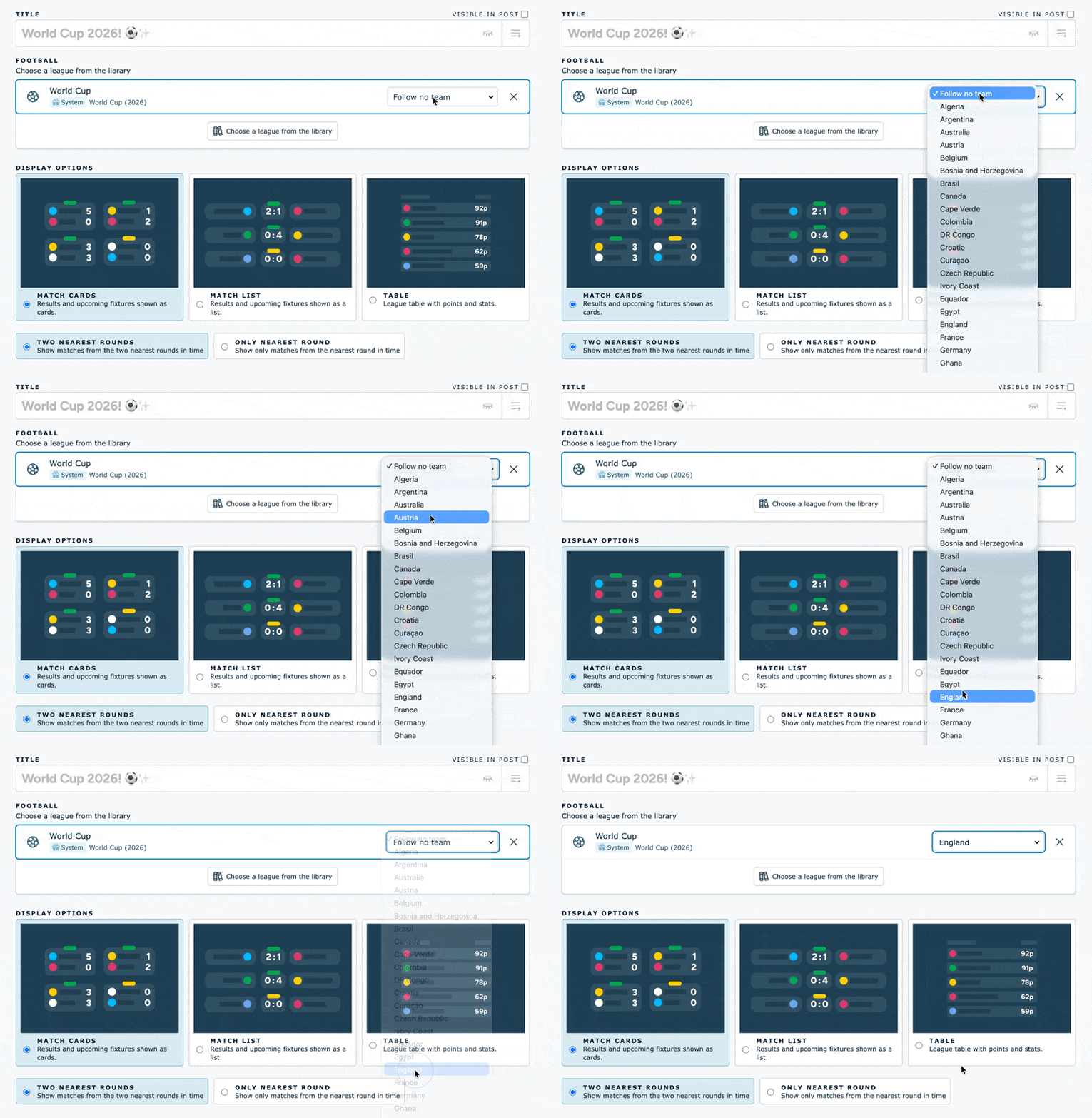
Preview the post to see which display option suits you best before saving.
Select the channel(s) and area of the channel you want the post to appear on, and remember to save.
💡 Tip from the coach, if you are not that interested in football yourself:
When the audience searches for the screens to see the latest football results, they will most likely see other information that is posted as well. Therefore, it could be a point to take a look at Scores & Fixtures even if you are not so keen on football, it will most likely create engagement around the content on your screens.
Questions? Contact us at support@pintomind.com!